Truck Route Planning Software
Plan Truck Routes That Avoid Restricted Roads
Standard navigation apps route trucks the same way they route cars, which means low bridges, weight-restricted roads, and turns a large vehicle simply cannot make. For commercial drivers, those routing errors don’t just add time. They cause delays, damage, fines, and safety risks.
As a Truck Route Planning Software, MyRouteOnline includes a dedicated Truck Travel Mode that calculates routes specifically for commercial vehicles. When you switch Travel Mode to Truck, the route optimizer accounts for your vehicle’s width, height, weight, and turning radius, and plans a sequence of stops that avoids roads with restrictions your vehicle can’t meet. You get a multi-stop route built for the vehicle you’re actually driving, not a car route repurposed for a truck.
Truck Travel Mode is available on Premium and above plans and is currently in beta. To activate it, import your addresses, open the Goals tab, change Travel Mode to Truck, and plan your route. Your optimized, truck-safe route is ready to navigate via the MyRoute app.
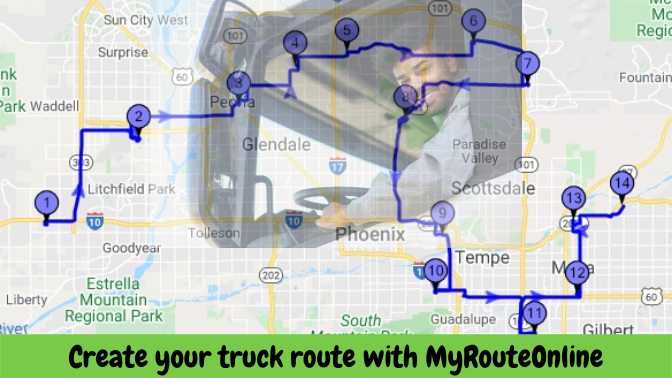
Create your truck route with MyRouteOnline
Multi-Stop Optimization for Delivery Manifests and Drop Runs
Beyond truck-safe routing, MyRouteOnline solves the sequencing problem every commercial driver faces: given a list of delivery or collection stops, what is the most efficient order to visit them all? For a truck making 15 or 20 drops in a day, a poorly sequenced manifest can add 60-100 extra miles of unnecessary driving, costing hours and significant fuel.
Import your delivery manifest directly from Excel, CSV, Google Drive, or Dropbox. The optimizer sequences all stops to minimize total drive time or distance, then generates a route your driver can navigate immediately. For operators running multiple trucks simultaneously, all driver routes can be planned from a single address list in one session and each driver receives their own optimized, truck-appropriate route.
For multi-day runs, the Extended Trips feature allows each day’s route to begin where the previous day ended, rather than returning to depot which is useful for long-haul drivers covering large territories across consecutive days.
Dispatching, Tracking, and Driver Communication
Once routes are planned, getting them to drivers takes seconds. Send each driver’s route to the MyRoute app on their smartphone for turn-by-turn navigation, email it as a link, export to TomTom or Garmin GPS devices, or dispatch via TomTom WEBFLEET for professional fleet management.
Live tracking via the MyRoute app lets dispatchers monitor which stops each driver has completed. Drivers mark deliveries as done in the app, creating a timestamped record for proof of delivery and internal reporting. If a driver runs into a delay, the dispatcher can see the knock-on effect on the rest of the schedule and adjust before customers are affected.
Who Uses MyRouteOnline for Truck Routing
Owner-operators planning their own multi-drop delivery runs. Regional distribution companies dispatching multiple HGVs each morning from a single manifest. Courier and freight companies managing drop-and-collect routes across a city or region. Waste collection and recycling fleets sequencing daily pickup rounds. Automotive transport and commercial vehicle logistics operators. Construction and building materials suppliers planning site delivery sequences. Any operation where a commercial vehicle visits more than five stops per day will see measurable time and fuel savings from route optimization:
Real-World Results
How a Multi-Drop Delivery Operator Reduced Daily Drive Time by 20%
A regional delivery operator running six commercial vehicles was planning daily manifests manually each morning. This process took a dispatcher over an hour and produced routes with significant backtracking across driver zones. Drivers were following stop orders based on the sequence orders had been received, not on geographic efficiency.
After switching to MyRouteOnline with Truck Travel Mode enabled, the team imported their daily manifest from their order system and generated all six optimized truck routes in under three minutes. Average daily drive time per vehicle dropped by 20% in the first month. The dispatcher’s planning time fell from over an hour to under ten minutes, and late deliveries dropped sharply as arrival time estimates became accurate and achievable.
FAQ about Truck and Commercial Drivers:
What does Truck Travel Mode actually do?
When Travel Mode is set to Truck, MyRouteOnline calculates your optimized route based on truck-specific road restrictions in your area, accounting for your vehicle’s width, height, weight, and turning radius. Roads that are unsuitable for commercial vehicles are excluded from the planned route. Truck Travel Mode is available on Premium and above plans and is currently in beta.
How do I activate Truck Travel Mode?
Import your addresses into the route planner, then open the Goals tab and change Travel Mode from the default (Car) to Truck. Click Plan My Route and the optimizer will calculate a truck-appropriate sequence. Navigate the result using a navigation app that supports truck routing, such as the MyRoute app
Can I plan routes for multiple truck drivers at the same time?
Yes. Upload a single address list and specify how many drivers you have. MyRouteOnline divides and assigns stops across all routes simultaneously. Each driver’s optimized, truck-appropriate route is then sent to their MyRoute app or GPS device.
Can I plan multi-day runs where each day continues from where the previous one ended?
Yes. The Extended Trips feature allows you to plan a multi-day route where each day’s starting point picks up geographically where the previous day ended, rather than returning to a home depot. This is useful for long-haul drivers covering large territories over consecutive days.
How do I get planned routes to my drivers?
Routes can be sent directly to drivers via the MyRoute app on their smartphones, emailed as a link, exported to TomTom or Garmin GPS devices, or dispatched via TomTom WEBFLEET for professional fleet management.