Route Planning Software for Sales Reps
More Visits Per Day, Less Time Behind the Wheel
For outside sales representatives and field teams, time spent driving is time not spent selling. A rep who manages a territory of 200 clients and visits eight per day is making roughly 1,600 client visits per year. Optimize that driving so they can fit in ten visits per day, simply by sequencing the same clients more efficiently, and that becomes 2,000 visits. That’s 400 additional sales opportunities per year, per rep, without a single extra working hour.
Route optimization doesn’t require driving faster or working longer. It requires visiting clients in an order that makes geographic sense. This sounds obvious but is consistently underestimated in how much time manual planning wastes.
MyRouteOnline is route optimization software built for sales reps and field teams who visit multiple client locations each day. Import your client list from Excel or your CRM, define your territory, and generate an optimized daily visit schedule in seconds.
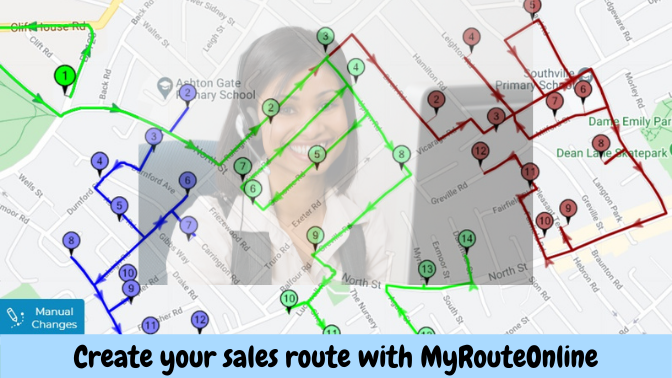
Create your sales route with MyRouteOnline
From CRM Export to Optimized Route in Minutes
Most sales reps have their client list in a CRM, Salesforce, HubSpot, Zoho, or a simple spreadsheet. MyRouteOnline accepts a standard Excel or CSV export of that list directly. You don’t retype addresses, you import them. The system geocodes each client location, applies territory filters if needed, and generates an optimized sequence for the day.
Reps can save their recurring routes and reload them for future visits which means a set of monthly account check-ins can be replanned in seconds rather than rebuilt from scratch. For sales managers overseeing a team, routes can be planned centrally and distributed to each rep’s MyRoute app before the working day begins.
Territory Management for Sales Teams
Sales teams covering large geographic areas need more than individual route optimization. They need their territory divided intelligently. MyRouteOnline’s territory planning feature allows sales managers to assign client clusters to specific reps, ensuring each person’s workload is balanced and each rep works within a geographically logical zone. This is particularly valuable during onboarding, territory expansion, and quarterly rebalancing.
Who Uses MyRouteOnline for Sales and Field Team Routing
Outside sales representatives and field teams across almost every B2B industry use MyRouteOnline to plan their daily client visit schedules. Pharmaceutical and medical device reps routing clinic and hospital visits. Wholesale and distribution account managers covering retail and hospitality clients across a territory. Insurance agents and financial advisers visiting household and business clients. Real estate agents sequencing property viewings and open house circuits. Recruitment consultants visiting client companies across a region. Food and beverage brand representatives calling on supermarkets, restaurants, and convenience stores. IT and telecoms field engineers visiting business premises for installation and support. Door-to-door and direct sales teams canvassing residential or commercial areas. Any salesperson or field representative whose revenue depends on face time with clients and whose competitive advantage is how many quality visits they can fit into a working day, benefits from replacing gut-feel route planning with an optimized sequence that puts more clients in front of them and less windscreen time between them:
- Real estate agents
- Sales Teams
- Landscape and Pest Control experts
- IT and Telecom Teams
- Insurance Sales
- Financial Planning Sales
- Home Improvement Sales
- Hardware Supply
- Storage Solutions
Real-World Results
How a B2B Sales Team Increased Weekly Client Visits by 31%
A wholesale distribution company with a field sales team of eight reps covering a national territory was planning visit routes informally. Each rep. built their own weekly schedule based on their knowledge of their area. Route quality varied significantly, and the sales manager had no visibility into how efficiently the team was covering their territories.
After implementing MyRouteOnline, routes were generated centrally each Monday morning for the whole team. Average weekly client visits per rep increased by 31% in the first quarter, with no increase in working hours or mileage costs, because the same addresses were simply visited in a smarter order.
FAQ about Sales Reps & Field Teams:
Can I import my client list from my CRM into MyRouteOnline?
Yes. Export your client list as a CSV or Excel file from any CRM platform and import it directly. The import wizard maps your columns to the correct fields. You can include client name, phone number, or priority notes, which appear alongside each stop in the planned route.
Can I plan routes by sales territory?
Yes. The territory management feature lets you define geographic zones and assign client clusters to specific reps. When planning routes, each rep only sees and routes the clients assigned to their territory.
Can I save routes for recurring client visits?
Yes. Routes can be saved and reloaded at any time. For reps with regular monthly or bi-weekly visit cycles, a saved route can be reloaded, adjusted, and replanned in seconds rather than rebuilt from scratch.
Can my sales manager see the routes each rep is following?
Yes. Managers can plan and distribute routes to reps through the multi-user account features, and the live tracking function allows managers to monitor where each rep is in their route during the working day.
Does MyRouteOnline work for door-to-door canvassing or prospecting?
Yes. Import a list of prospecting addresses and optimize the sequence the same way you would for existing clients. Commonly used by direct sales teams, insurance agents, and door-to-door sales representatives.