Three Ways to Plan Routes With AI: Which One Actually Fits You
August 27, 2026
MyRouteOnline can be reached through AI in three different ways, and they’re built for three different situations, not three versions of the same thing. Picking the wrong one doesn’t break anything, it just means doing more manual work than necessary. Here’s what actually separates them.
What MCP Actually Is
All three options ultimately rely on the same thing behind the scenes: MyRouteOnline’s MCP server. MCP (the Model Context Protocol) is an open standard that lets an AI assistant connect directly to outside tools and services, rather than only working from what’s typed into the conversation. Instead of an AI guessing at how a route should be sequenced, an MCP connection lets it call MyRouteOnline’s actual optimization engine and get a real, calculated route back. The AI handles the conversation and the request, the engine does the actual math. ChatGPT, Claude in a normal conversation, and the Claude Code skill are three different front doors into that same connection.
The Three Options Compared
| ChatGPT AI Route Planner | Claude (general chat) | Claude Code Skill | |
| Best for | Planning a route by describing it conversationally | A one-off request to sequence an uploaded file | Repeated, recurring route planning from the same folder |
| How you use it | Type, speak, or upload a PDF or Excel file directly in ChatGPT | Upload a PDF, Excel, or text file to Claude and ask it to sequence the stops | Run one slash command in a terminal, answer a few plain-language questions |
| Setup required | None beyond having ChatGPT access | None, works in an ordinary Claude conversation | Install Claude Code and the skill once, reusable after that |
| Output | Optimized stop order shown in the conversation, editable in Excel, with links to view the route on a map and open it in the MyRoute app | Optimized stop order shown in the conversation, editable in Excel, with links to view the route on a map and open it in the MyRoute app | Optimized route, editable in Excel, with map and MyRoute app links, saved automatically as a new file directly in the folder you specify |
| Repeat use | Each route planned in its own conversation | Each route planned in its own conversation | Same command works on any folder, any spreadsheet, every time |
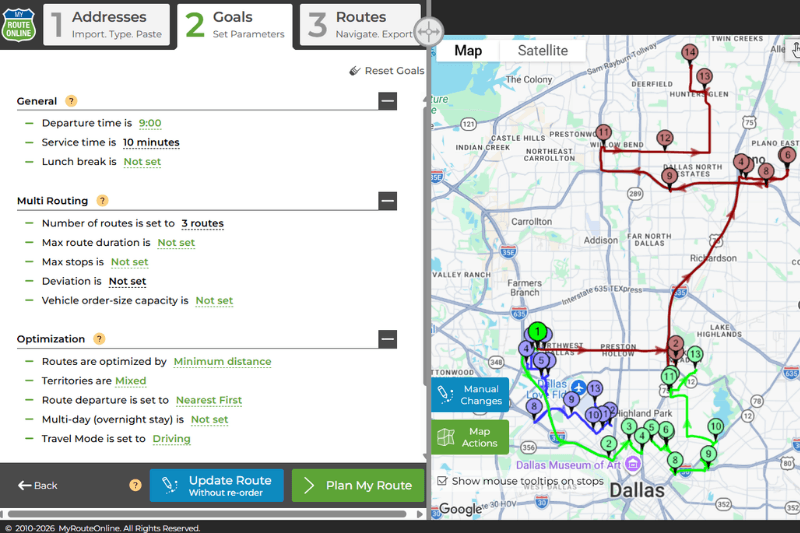
All three deliver the same kind of result, an optimized route you can still adjust in Excel, plus a map view and a link into the MyRoute app for navigation. The real difference is what happens to that result afterward. With the ChatGPT AI Route Planner and a normal Claude conversation, the route is delivered inside the chat, yours to save or export from there. The Claude Code skill goes a step further: it automatically saves the finished Excel file directly into the folder you specify, no downloading or copying needed, ready for a driver to open.
If You Just Want to Describe a Route and Get One Back
The ChatGPT AI Route Planner is built for exactly this. Type or say something like “I have these addresses for today’s deliveries,” or upload a PDF or Excel file with your stops, and the AI handles the rest inside the same conversation, including showing a visual map before handing off to turn-by-turn navigation. This is the simplest starting point if planning inside ChatGPT is already part of your routine.
If You’re Already Working in Claude and Have a File to Sequence
Claude can take an uploaded PDF, Excel, or text file with dozens of addresses and sequence them into an efficient route using MyRouteOnline, directly in a normal conversation, no setup required. This is the right fit for an occasional request, someone who’s already in Claude for other reasons and just needs a route planned once, without wiring up any ongoing automation.
If You Plan Routes From the Same Folder Every Day
The Claude Code skill is built for a different kind of user entirely: someone who repeats this task regularly and wants it to stop being a task at all. Install it once, and from then on, planning a route is a single command run inside the folder where the spreadsheet already lives: /myrouteonline-route-optimizer. Claude asks a few quick questions, which file, which stop is the depot, then reads the spreadsheet, sends the addresses to MyRouteOnline’s MCP server, and writes the optimized result back as a new Excel file in the same folder, ready to hand to a driver, original spreadsheet untouched.
This is the option worth setting up for a dispatcher or small business owner planning routes from the same customer folder every morning, the setup cost is paid once, and every route after that is a single sentence rather than a repeated manual process.
FAQ about AI and MyRouteOnline
What is MCP, and do I need to understand it to use any of this?
MCP stands for Model Context Protocol, an open standard that lets an AI assistant connect to outside tools like MyRouteOnline’s optimization engine. You don’t need to understand how it works to use any of the three options, it’s the connection running behind the scenes, not something you interact with directly.
Can I use the ChatGPT AI Route Planner and the Claude Code skill at the same time?
Yes, they’re independent. Which one makes sense for a given moment depends on whether you’re planning a one-off route conversationally or repeating the same folder-based workflow regularly.
Do I need a MyRouteOnline account for all three options?
Yes. All three connect to the same MyRouteOnline optimization engine and account, they’re different ways of reaching it, not separate products.
Which option is best for someone who isn’t comfortable with a terminal?
The ChatGPT AI Route Planner or a normal Claude conversation, both work entirely through typing, speaking, or uploading a file, no command line involved. The Claude Code skill requires running one setup command in a terminal, worth it for recurring use, but not necessary for an occasional route.