How to Stop Chrome from Translating Input Automatically
January 07, 2026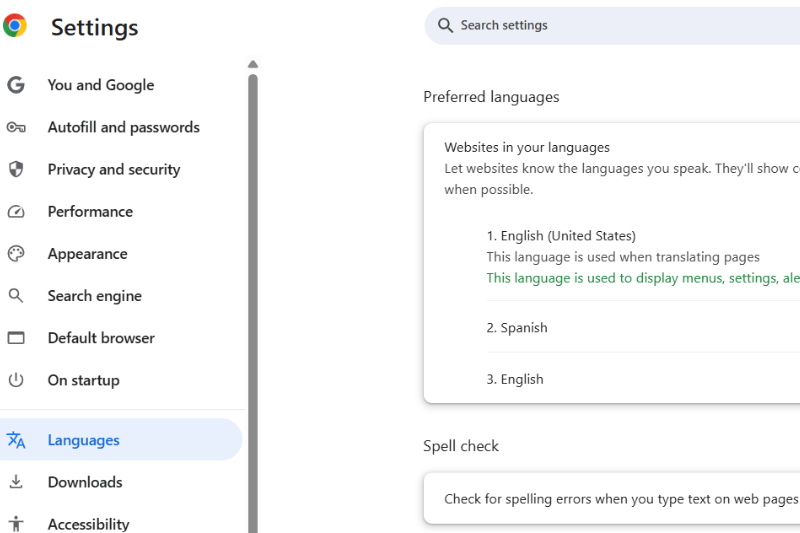
If you’ve ever uploaded addresses in Spanish or entered content in any non-English language, only to see it automatically converted to English, you’re not alone.
This isn’t just about language preference, it’s a real challenge for businesses and teams who rely on accurate, local-language inputs for route planning. With address input it’s very obvious and makes it impossible to plan routes in the right language.
This issue can affect any user uploading addresses in languages different from their browser’s default.
What’s Causing This?
This behavior isn’t caused by MyRouteOnline program. It’s caused by your web browser’s language settings, particularly in Google Chrome.
Browsers often try to be “helpful” by translating or displaying content in your preferred language. So when you upload content in one language, Chrome may automatically interpret and display it in another, based on your language settings.
Change Your Chrome Language Preferences
Follow these simple steps to make sure Chrome honors your original language input:
- Open Chrome Settings
Click the three vertical dots in the top-right corner of Chrome and select Settings. - Go to the Language Settings
In the left-hand menu, click on Languages. - Manage Your Preferred Languages
Under Preferred languages, check that your desired language (e.g., Spanish, Arabic, Russian) is listed. - Add Your Language (if needed)
Click Add languages, search for your language, and add it. - Prioritize Your Language
If multiple languages are listed, drag your preferred language to the top to make it the primary one for displaying content. - Restart Chrome
Completely close and reopen Chrome to ensure the new settings take effect.
Why This Matters for Route Planning
If your delivery drivers, field reps, or technicians read and work in a specific language, it’s critical that your routing platform displays addresses in that native language and not a translated version.
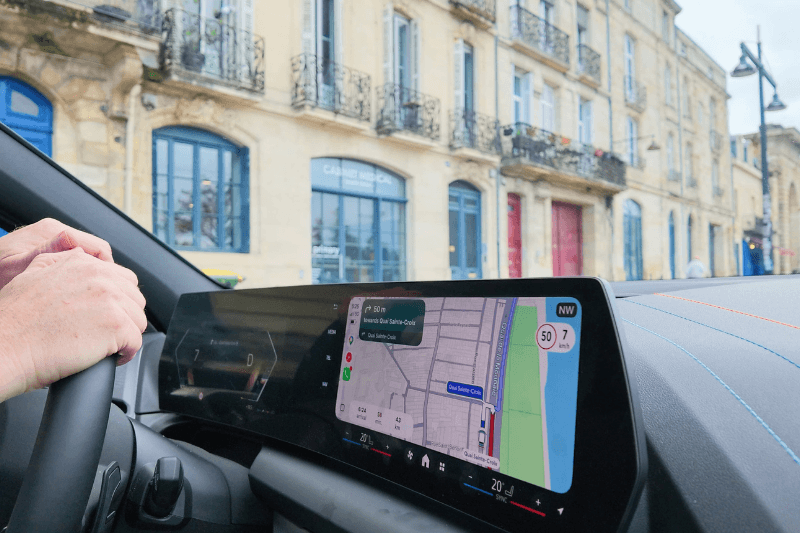
Customers have asked us for Turn-by-Turn driving directions in Spanish and other languages. We’ve added the option to change language for driving directions so your staff can benefit from this on the road too.
Setting your browser’s language ensures:
- Address accuracy stays intact
- Printed or mobile directions are readable and clear for local teams
- You avoid confusion and delivery delays
Final Tip
This setting is local to each user’s browser, so if you have a large team, you might want to send these instructions to all drivers or dispatchers using the route planning tool.