Introducing the MyRouteOnline Skill for Claude Code
May 04, 2026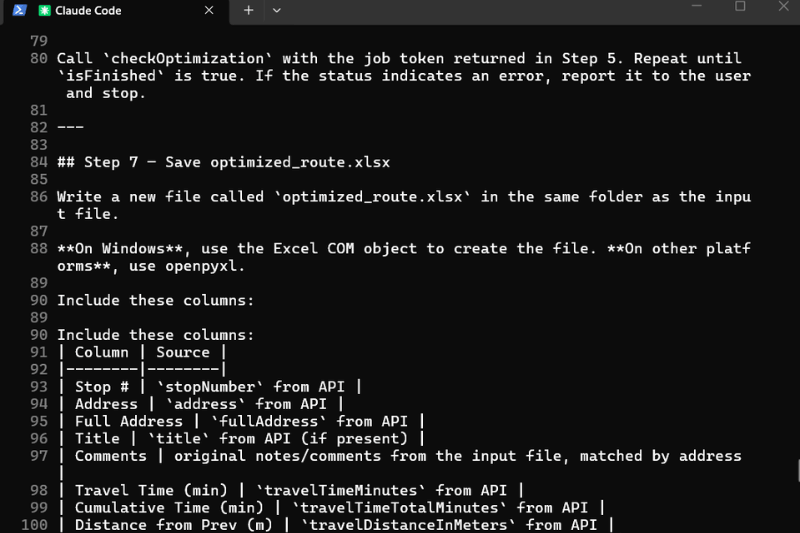
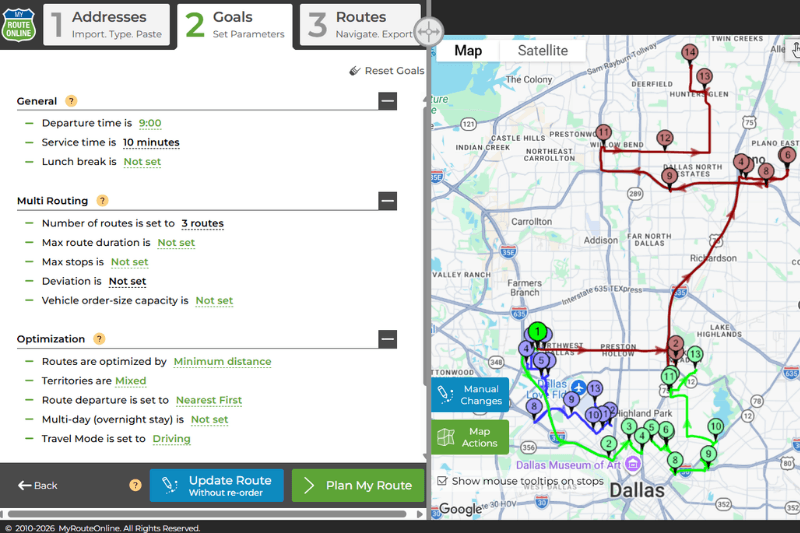
We just released a Claude Code skill that turns any spreadsheet of addresses into an optimized delivery route, all from a single command. Drop a .xlsx file into a folder, type /myrouteonline-route-optimizer, and Claude does the rest. From reading the file, calling MyRouteOnline, polling for results, and saving the optimized route as a new spreadsheet you can hand straight to a driver. It’s free, it’s open-source, and it’s live now.
The 30-second Version
If you’ve ever planned a multi-stop delivery route, you know the drill: open your customer list in Excel, copy-paste addresses one by one into a route planner, wait, copy the optimized order back, send it to the driver. On a good day, fifteen minutes. On a bad day, when the spreadsheet has weird formatting, or the addresses include coordinates instead of street names, a lot longer.
The new MyRouteOnline Route Optimizer skill for Claude Code collapses that whole process into one sentence: “optimize the route in this folder.” Claude reads your spreadsheet, sends the addresses to MyRouteOnline through our new MCP server, waits for the optimization, and writes the result back as a new Excel file in the same folder, with stop numbers, travel times, distances, and your original notes preserved.
It’s the first AI-native interface to MyRouteOnline. And because it’s a Claude Code skill, you can install it once and use it forever, on any folder, with any spreadsheet.
What is Claude Code, and What is a “Skill”?
Claude Code is a terminal-based AI agent from Anthropic. You install it, type claude in any folder, and you’ve got a conversational assistant that can read files, run commands, talk to web services, and chain steps together, all through plain English instructions. Think of it as a developer’s command-line assistant that’s also smart enough for everyday automation.
A skill is a reusable instruction file that teaches Claude how to do a specific task. It’s a single markdown file, no executable code, no compilation, no deployment pipeline. You drop it into your ~/.claude/skills/ folder and it becomes a slash command in Claude Code. Type /myrouteonline-route-optimizer and Claude follows the recipe.
Skills are powerful because they’re declarative. The file describes what should happen (“read the Excel file, send addresses to MyRouteOnline, save the result”), and Claude figures out how, adapting to your operating system, your file naming, your specific column layout, even handling errors conversationally when something goes wrong.
How the Skill Works (the User Experience)
Here’s what running the skill actually looks like.
You open a terminal in any folder, say, C:\Customers\ on a Windows machine where you keep your weekly delivery spreadsheets. You run claude. Then you type:
/myrouteonline-route-optimizer
Claude responds by asking a few questions:
“Which folder is your Excel file in?” (You paste the path.)
“I found two files: Boston_Monday.xlsx and Boston_Tuesday.xlsx. Which one should I optimize?” (You pick Monday.)
“I see 10 stops. The first one is 241 Perkins St, Boston, MA, should I treat that as your starting depot, or as a regular stop?” (You confirm it’s the depot.)
“What’s your email address? MyRouteOnline will send a one-time auth code.” (You give your email.)
A few seconds later, the auth code arrives. You paste it. Claude calls MyRouteOnline, polls until the optimization is complete, then writes a new file:
Saved optimized_route.xlsx to C:\Customers\
That’s it. The driver’s spreadsheet is ready and shows your stops sequence, travel distance and time with the original file untouched. Total time elapsed: under a minute.
The magic isn’t that any individual step is hard, it’s that the entire workflow has been compressed into a single conversational command, and the skill handles all the messy edge cases (mixed file formats, weird column headers, expired auth codes, addresses that are actually GPS coordinates) without you having to think about them.
How it Works under the Hood (the Developer View)
If you’re technical, here’s what’s happening:
The skill is a markdown file with YAML frontmatter:
name: myrouteonline-route-optimizer
description: Reads addresses from an Excel file in a customer folder, optimizes the delivery route via the MyRouteOnline MCP server, and saves the optimized order as a new Excel file in the same folder.
The body is a numbered list of instructions in plain English, locate the Excel file, parse it, call the MCP server, poll for results, write the output. When you invoke the slash command, Claude Code loads this file, reads the instructions, and executes them step by step using whatever tools it has available: bash, PowerShell, Python, file I/O, and crucially, MCP tools.
MCP (the Model Context Protocol) is an open standard for letting AI agents talk to external services. We’ve published a public MCP server at:
https://planner.myrouteonline.com/ws_api_ai/mcp
It exposes four tools that the skill calls:
- getOneTimeCode – sends a one-time auth code to the user’s email
- startOptimization – submits a list of addresses for optimization
- checkOptimization – polls a job ID for status and results
- emailResults – optionally emails the final route with navigation links
Adding the server to your Claude Code is a single command:
claude mcp add –transport http myrouteonline https://planner.myrouteonline.com/ws_api_ai/mcp
After that, any skill or any ad-hoc Claude conversation, can use the MyRouteOnline tools directly. The skill just orchestrates them in the right order with the right inputs.
The Excel reading/writing happens through whatever the user has installed: PowerShell + Excel COM on Windows machines with Microsoft Office, or Python with openpyxl everywhere else.
Why we Built it
Two reasons.
- Our users have been asking for it. Dispatchers and small-business owners running delivery operations don’t want to live in our web app. They live in spreadsheets. They want their tools to come to the spreadsheet, not the other way around. A skill that lets them stay in their existing folder structure, with their existing files, and just talk to their route planner is the experience they’ve been describing.
- AI agents are eating workflow software. Tools like Claude Code, Cursor, and Anthropic’s broader agent ecosystem are changing how people interact with SaaS. The companies that show up early with proper MCP servers, well-designed skills, and clear documentation, get to define how AI users discover and use their products. We’d rather lead that conversation than chase it.
The route optimizer skill is our first public skill, but it won’t be the last. Future skills will cover multi-vehicle planning, time-window constraints, recurring routes, and tighter integration with dispatch software.
Get Started in 3 Minutes
If you have Node.js installed:
- Install Claude Code:
- Add the MyRouteOnline MCP server:
- Install the skill:
- Run it:
npm install -g @anthropic-ai/claude-code
claude mcp add –transport http myrouteonline https://planner.myrouteonline.com/ws_api_ai/mcp
git clone https://github.com/myrouteonline/myrouteonline-claude-skill/blob/main/myrouteonline-route-optimizer.md
cd myrouteonline-claude-skill
bash install.sh # or .\install.ps1 on Windows
cd path/to/your/spreadsheet/folder
claude
/myrouteonline-route-optimizer
Done.
What’s Next
We’re releasing the skill under the MIT license, and the source is public on GitHub. If you want to fork it, modify it for your specific workflow, or build skills for adjacent tools, please do, and send us a pull request if you find something worth sharing.
If you’re a developer building AI-powered logistics tools, our MCP server is open and free to call. Documentation, the full tool schema, and example payloads are all linked from the repo.
If you’re a MyRouteOnline user who wants to try the skill but isn’t comfortable in a terminal, sit tight, we’re working on a one-click installer.
In the meantime, the route optimizer is live, free, and waiting in your terminal.
FAQ about Claude
Do I need to know how to code to use the Claude Code skill?
No. Installing it involves running a few setup commands once, but using it afterward is a single slash command followed by answering plain-language questions Claude asks, which folder, which file, whether the first address is the depot.
Does this modify my original spreadsheet?
No. The skill writes the optimized route as a new Excel file in the same folder, leaving the original file untouched.
Is the MyRouteOnline MCP server only usable through this skill?
No. The MCP server is a general connection that any Claude conversation or custom skill can call. This route optimizer skill is one specific, ready-made way to use it, built around a recurring, folder-based workflow.
Is this free to use?
Yes. The skill is released under the MIT license and the source is public on GitHub. Using it still requires a MyRouteOnline account for the actual route optimization.